Pinoy Lotto Draw0.1.4
Publisher Description


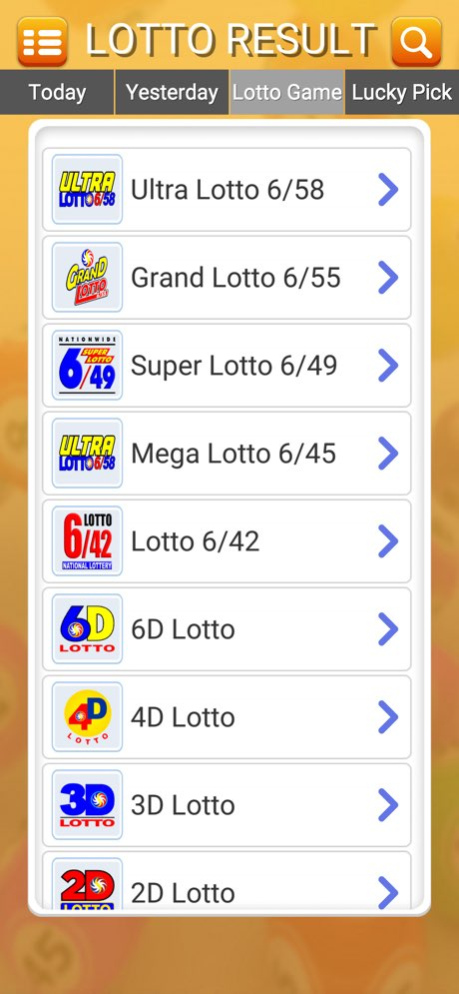

Pinoy Lotto Draw: Quick & Easy Access to Today's Lotto Results!
Get instant access to the latest lotto results for various draws, including Ultra 6/58, Grand 6/55, Super 6/49, Mega 6/45, Lotto 6/42, and more-all in one convenient app. No need to rely on newspapers, local outlets, or TV updates. Stay updated anytime, anywhere with just a tap on your phone!
Supported Draws:
- Ultra 6/58
- Grand 6/55
- Super 6/49
- Mega 6/45
- Lotto 6/42
- 6D Lotto
- 4D Lotto
- 3D Lotto
- 2D Lotto
App Features:
- Real-time lotto draw results
- Search past results
- Lucky Pick generator
- And much more!
Version History - Updated app store marketing link. 0.1.4 12/14/2025 - Resolved minor bugs to improve overall app performance. 0.1.3 10/11/2024 Adjust Google advertising ID 0.1.2 02/07/2024 Improve Rate Dialog 0.1.1 01/30/2024 Added Rate Dialog 0.1.0 01/28/2024 0.0.8 01/13/2024
About Pinoy Lotto Draw
The company that develops Pinoy Lotto Draw is Aljohn Paul Barundia. The latest version released by its developer is 0.1.4.
To install Pinoy Lotto Draw on your iOS device, just click the green Continue To App button above to start the installation process. The app is listed on our website since 2026-10-14 and was downloaded 2 times. We have already checked if the download link is safe, however for your own protection we recommend that you scan the downloaded app with your antivirus. Your antivirus may detect the Pinoy Lotto Draw as malware if the download link is broken.
How to install Pinoy Lotto Draw on your iOS device:
- Click on the Continue To App button on our website. This will redirect you to the App Store.
- Once the Pinoy Lotto Draw is shown in the iTunes listing of your iOS device, you can start its download and installation. Tap on the GET button to the right of the app to start downloading it.
- If you are not logged-in the iOS appstore app, you'll be prompted for your your Apple ID and/or password.
- After Pinoy Lotto Draw is downloaded, you'll see an INSTALL button to the right. Tap on it to start the actual installation of the iOS app.
- Once installation is finished you can tap on the OPEN button to start it. Its icon will also be added to your device home screen.
Program Details
System requirements
Download information
Pricing
Version History
version 0.1.4
posted on 2026-10-14
Version History - Updated app store marketing link. 0.1.4 12/14/2025 - Resolved minor bugs to improve overall app performance. 0.1.3 10/11/2024 Adjust Google advertising ID 0.1.2 02/07/2024 Improve Rate Dialog 0.1.1 01/30/2024 Added Rate Dialog 0.1.0 01/28/2024 0.0.8 01/13/2024
version 0.1.4
posted on 2025-12-14
- Updated app store marketing link.
